
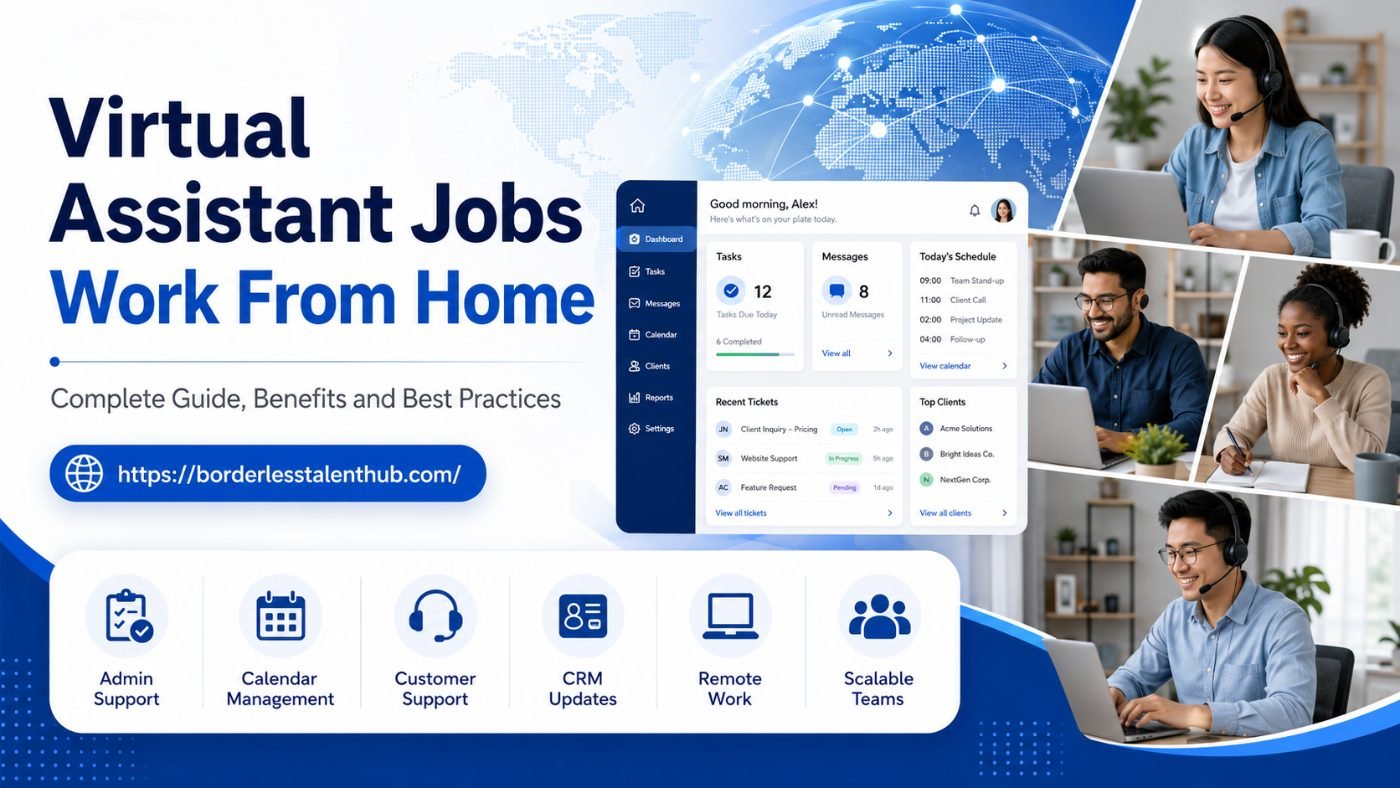
Virtual Assistant Jobs Work From Home: Complete Guide, Benefits and Best Practices
Virtual assistant jobs from home have become one of the most practical ways for skilled professionals to work remotely while supporting businesses across different countries and industries. At the same time, companies in Europe, the USA, Canada, Australia and New Zealand are increasingly hiring virtual assistants to reduce admin pressure, improve daily operations and create more flexible support teams.
A virtual assistant, often called a VA, can help with administration, customer support, inbox management, diary coordination, social media support, CRM updates, research, data entry, reporting, lead generation, document preparation and many other business tasks.
For job seekers, virtual assistant work can provide flexibility, international exposure and the chance to build a career from home. For employers, hiring a remote virtual assistant can reduce workload, improve responsiveness and help the business scale without immediately adding a full local office-based role.
This guide explains what virtual assistant jobs from home involve, the benefits for workers and employers, the skills required, best practices for remote working, and how businesses can hire virtual assistants in a structured and compliant way.
Borderless Talent Hub helps businesses hire remote professionals, including virtual assistants, customer support specialists, social media managers, admin staff, sales support and other remote-ready roles. You can explore the full service model here: Services | Borderless Talent Hub.
What is a virtual assistant
A virtual assistant is a remote professional who provides business support from outside the client’s physical office.
Virtual assistants may work from home, a coworking space or another remote setting. They usually communicate with the business through email, video calls, chat tools, project management platforms, CRM systems and shared documents.
A virtual assistant can support one business full-time, work part-time, or provide project-based support depending on the role.
Common virtual assistant tasks include:
- Email inbox management
- Calendar and diary coordination
- Appointment scheduling
- Customer enquiries
- Data entry
- CRM updates
- Lead research
- Document formatting
- Travel planning
- Social media scheduling
- Online research
- Report preparation
- Admin support
- File organisation
- Basic bookkeeping support
- Order processing
- Customer follow-up
- Meeting notes
- Internal coordination
The exact role depends on the business need. Some virtual assistants focus on general admin, while others specialise in sales support, customer service, executive support, social media, finance admin, recruitment coordination or operations.
Why virtual assistant jobs from home are growing
Virtual assistant jobs from home are growing because both businesses and workers want more flexibility.
For businesses, remote virtual assistants can help reduce routine workload without requiring a full in-office hire. Many companies need support but do not always need someone physically present. Tasks such as inbox management, CRM updates, scheduling, research, reporting and customer communication can often be handled effectively online.
For workers, virtual assistant roles can offer access to international opportunities. A skilled VA based in one country may support a company in the UK, USA, Canada, Australia, New Zealand or Europe without relocating.
Remote work also allows businesses to hire from wider talent pools. Instead of being limited to one local market, employers can find people with the right skills, communication style, availability and cost structure.
This is why virtual assistant jobs are now part of wider global hiring and remote staffing strategies.
What do virtual assistants do
Virtual assistant work can cover many business functions. Below are some of the most common areas.
1. Administrative support
Administrative support is one of the most common virtual assistant responsibilities.
This may include:
- Managing emails
- Organising digital files
- Creating documents
- Formatting reports
- Updating spreadsheets
- Booking meetings
- Preparing agendas
- Taking meeting notes
- Tracking tasks
- Following up with clients or suppliers
This type of support helps business owners, managers and teams stay organised.
2. Calendar and diary management
Many leaders lose valuable time managing diaries and scheduling.
A virtual assistant can help with:
- Booking calls
- Rescheduling meetings
- Sending calendar invites
- Managing time zones
- Confirming attendance
- Preparing meeting links
- Sending reminders
- Protecting focus time
For international teams, time zone coordination is especially useful.
3. Customer support
Some virtual assistants support customers through email, live chat, helpdesk systems or social media messages.
Tasks may include:
- Answering common questions
- Logging support tickets
- Following up with customers
- Updating CRM records
- Escalating urgent issues
- Sending support information
- Managing simple complaints
- Helping customers find the right service
For growing businesses, this can reduce pressure on internal teams and improve response times.
4. Social media support
A virtual assistant may help with basic social media tasks, especially where the business already has a content plan.
This may include:
- Scheduling posts
- Uploading captions
- Organising creative assets
- Responding to simple messages
- Tracking comments
- Preparing content calendars
- Researching hashtags or topics
- Collecting performance data
For businesses needing stronger marketing support, a dedicated social media manager may be more suitable. Borderless Talent Hub also supports hiring remote social media and content professionals through its wider remote staffing model.
5. Lead generation and sales admin
A virtual assistant can support sales teams with early-stage pipeline tasks.
This may include:
- Prospect research
- Building lead lists
- Updating CRM records
- Preparing outreach data
- Tracking follow-ups
- Booking calls
- Recording sales notes
- Supporting proposals
- Monitoring sales inboxes
This helps sales teams spend more time on qualified conversations rather than admin.
6. Operations and back-office support
Virtual assistants can also support internal operations.
Tasks may include:
- Supplier coordination
- Internal reporting
- Stock or order updates
- Process documentation
- HR admin support
- Recruitment scheduling
- Invoice tracking
- Data cleanup
- Compliance document organisation
This is especially helpful for businesses that are growing but not yet ready for a large in-house operations team.
Benefits of virtual assistant jobs from home for workers
1. Flexible working environment
One of the biggest benefits of virtual assistant jobs is the ability to work from home. This can reduce commuting time, improve work-life balance and allow professionals to create a more comfortable working setup.
2. Access to international opportunities
Remote VA work can connect professionals with businesses in different countries. This can help workers gain experience with international clients, tools, communication styles and business processes.
3. Career growth through varied experience
Virtual assistants often support different areas of a business. Over time, this can build skills in administration, customer support, operations, marketing, CRM management, scheduling and reporting.
4. Lower work-related costs
Working from home can reduce travel, commuting, lunch and clothing costs. For many professionals, this makes remote work more practical and affordable.
5. Skill development
Virtual assistant roles can help workers improve communication, time management, organisation, digital tools, customer service, writing, reporting and problem-solving skills.
6. Opportunity to specialise
A VA can start with general admin and later specialise in areas such as executive assistance, social media, customer support, finance admin, recruitment coordination, project support or sales support.
Remote professionals looking for international opportunities can apply through: Remote Jobs & Careers | Borderless Talent Hub.
Benefits of hiring a virtual assistant for businesses
1. Reduced admin workload
Business owners and managers often spend too much time on routine admin. A virtual assistant can take over repeatable tasks so internal leaders can focus on sales, strategy, delivery and growth.
2. Better organisation
A good VA can improve daily organisation by managing calendars, inboxes, documents, follow-ups, CRM records and task lists.
3. Flexible support
Businesses can hire a virtual assistant part-time, full-time or as part of a wider remote team depending on workload and budget.
4. Cost-effective growth
Hiring a remote virtual assistant can be more cost-effective than hiring locally, especially where the role does not require physical office presence.
5. Faster response times
A VA can help respond to customer enquiries, internal requests, emails and admin tasks more quickly.
6. More time for core business activity
When routine tasks are handled properly, internal teams have more time for revenue-generating work, client relationships, operations and business development.
7. Scalable team structure
A business may start with one virtual assistant and later build a wider remote support team covering customer service, social media, sales admin, operations or back-office support.
For businesses comparing support options, visit: Global Hiring Pricing | Borderless Talent Hub.
Skills needed for virtual assistant jobs from home
Virtual assistant jobs require more than basic computer knowledge. The best VAs are organised, reliable, proactive and clear communicators.
Important skills include:
- Written communication
- Spoken communication
- Time management
- Attention to detail
- Organisation
- Calendar management
- Email management
- Customer service
- Data entry accuracy
- Research ability
- CRM familiarity
- Document preparation
- Problem-solving
- Confidentiality
- Remote working discipline
- Ability to follow processes
- Ability to ask clear questions
Some roles may also require specific skills such as bookkeeping support, social media scheduling, lead generation, project coordination, technical support or executive assistance.
Tools virtual assistants commonly use
Virtual assistants often work with digital tools to stay connected and organised.
Common tools may include:
- Email platforms
- Calendar tools
- Video meeting software
- Project management systems
- CRM platforms
- Helpdesk systems
- Live chat tools
- Cloud storage
- Spreadsheet software
- Document tools
- Password managers
- Messaging platforms
- Social media scheduling tools
- Accounting or invoicing tools
A good VA does not need to know every tool before starting, but they should be comfortable learning new systems quickly.
Best practices for virtual assistants working from home
1. Set up a professional workspace
A quiet, organised workspace helps improve focus and communication. A virtual assistant should have a reliable internet connection, working laptop or computer, headset, webcam and access to the tools required for the role.
2. Communicate clearly
Remote work depends on clear communication. VAs should confirm tasks, ask questions when instructions are unclear, provide updates and avoid leaving the client guessing.
3. Manage time carefully
A strong VA should plan daily tasks, prioritise urgent work and keep track of deadlines.
4. Keep records organised
Remote admin work often involves files, spreadsheets, CRM notes, meeting records and customer information. Good organisation is essential.
5. Protect confidential information
Virtual assistants may access sensitive business data. They should follow password rules, avoid sharing confidential files, use secure systems and respect client privacy.
6. Learn the business
The best virtual assistants do not only complete tasks. They learn how the business works, understand customer needs and look for ways to make processes smoother.
7. Be proactive
A proactive VA notices repeat issues, suggests improvements and helps prevent tasks from being missed.
8. Use checklists
Checklists are useful for recurring tasks such as inbox review, daily reporting, customer follow-up, CRM updates, meeting preparation and end-of-day summaries.
9. Maintain professional boundaries
Working from home still requires professional standards. VAs should keep agreed hours, respond within expected timeframes and communicate availability clearly.
10. Keep improving skills
Virtual assistants can grow their careers by learning new tools, improving writing, building customer support skills, understanding CRM systems and developing specialist knowledge.
Best practices for businesses hiring virtual assistants
1. Define the role clearly
Before hiring, write a clear role brief.
Include:
- Main tasks
- Working hours
- Required tools
- Communication expectations
- Reporting structure
- Required experience
- Customer-facing responsibilities
- Data access requirements
- Performance expectations
- Training needs
A clear role brief helps attract the right candidates.
2. Decide whether the role is part-time or full-time
Some businesses only need a few hours of support per week. Others need a full-time VA integrated into daily operations.
Consider:
- Number of tasks
- Urgency of work
- Customer response expectations
- Time zone requirements
- Whether the VA supports one person or a whole team
- Whether the role includes customer communication
- Whether the role may grow later
3. Prepare onboarding materials
A virtual assistant needs structure from day one.
Prepare:
- Company overview
- Service or product guide
- FAQs
- Contact list
- Tool access instructions
- Process documents
- Email templates
- Calendar rules
- CRM update rules
- Escalation instructions
- Brand tone guide
- Daily or weekly reporting format
Good onboarding helps the VA become productive faster.
4. Give access carefully
Virtual assistants may need access to emails, calendars, customer records, documents and internal platforms. Access should be limited to what is needed for the role.
Use clear rules for:
- Password handling
- Two-factor authentication
- Customer data access
- File sharing
- Confidential documents
- Account permissions
- Access removal when the role ends
5. Set communication rhythms
Remote teams work better when communication is planned.
Useful habits include:
- Daily task updates
- Weekly review calls
- Shared task lists
- Clear priority labels
- Written instructions for recurring work
- End-of-week summaries
- Agreed response times
6. Track quality, not just hours
A VA’s value should not only be measured by time online.
Track:
- Tasks completed
- Accuracy
- Response time
- Customer feedback
- Follow-up quality
- Calendar reliability
- CRM accuracy
- Process improvement
- Communication quality
7. Start with a trial period or first-month review
A structured first-month review helps both sides understand what is working and what needs adjusting.
Review:
- Workload
- Task clarity
- Communication
- Tool access
- Training gaps
- Quality standards
- Working hours
- Future responsibilities
Compliance considerations when hiring virtual assistants internationally
Hiring a virtual assistant in another country can create compliance considerations. The right structure depends on the role, working arrangement and country.
Key areas to review include:
Worker classification
A business should decide whether the VA is genuinely independent, an employee, or should be hired through another structure such as Employer of Record support.
If the VA works fixed hours, reports directly to managers, uses company tools, works long-term and is integrated into the team, the arrangement may look more like employment than independent contracting.
Contract terms
Clear documentation should cover:
- Role scope
- Pay
- Working hours
- Confidentiality
- Data protection
- Notice period
- Tools and access
- Ownership of work
- Performance expectations
- Termination process
Payroll and payment
International hiring may involve payroll coordination, payment frequency, currency, deductions or statutory requirements depending on the structure.
Data protection
Virtual assistants may access customer data, business documents, inboxes, calendars and financial information. Businesses should set clear access and confidentiality rules.
Local employment rules
If the VA is hired as an employee in another country, local employment laws, leave rules, benefits and payroll requirements may apply.
Borderless Talent Hub helps businesses plan the right hiring model, source remote talent, support onboarding, coordinate payroll and consider compliance requirements as part of the global hiring process. Learn more here: How Global Hiring Works | Borderless Talent Hub.
How much does it cost to hire a virtual assistant
The cost of hiring a virtual assistant depends on several factors:
- Part-time or full-time support
- Country of hire
- Experience level
- Skills required
- Working hours
- Time zone coverage
- Customer-facing responsibilities
- Tools and software used
- Whether the role includes specialist tasks
- Payroll or EOR support requirements
- Ongoing management and account support
A general admin VA may cost less than a virtual assistant who also handles customer support, CRM management, sales support, bookkeeping tasks or executive-level coordination.
Businesses should compare the full value of the role, not only the monthly cost. A reliable VA who saves time, improves organisation and supports customers properly can deliver strong operational value.
For cost planning, visit: Global Hiring Pricing | Borderless Talent Hub.
Virtual assistant hiring checklist for businesses
Before hiring a virtual assistant, use this checklist:
- What tasks do we want the VA to handle
- Are these tasks weekly, daily or occasional
- Do we need part-time or full-time support
- What time zone coverage is required
- Will the VA communicate with customers
- What tools will they use
- What documents and training materials are ready
- What data or systems will they access
- Who will manage the VA day to day
- How will performance be measured
- What contract or hiring model is suitable
- Do we need payroll, EOR or compliance support
- Can the role grow into a wider remote support team
If the answers are unclear, it is better to define the role before recruitment begins.
Common mistakes to avoid
Hiring without a clear role brief
A vague job description leads to confusion and poor performance. Define the tasks before hiring.
Giving too many unrelated tasks too soon
Start with core responsibilities first. Add more tasks once the VA understands the business.
Skipping onboarding
Even experienced virtual assistants need training in your systems, tone, customers and processes.
Not documenting processes
If tasks only exist in someone’s head, the VA will struggle to work independently.
Ignoring data security
Virtual assistants may handle sensitive information. Access should be controlled properly.
Measuring only activity
Do not only track hours. Track quality, accuracy, response time and business impact.
Choosing the lowest cost option without checking fit
Cost matters, but communication, reliability and attention to detail are just as important.
How Borderless Talent Hub can support virtual assistant hiring
Borderless Talent Hub helps businesses hire remote professionals and build structured global teams.
For virtual assistant hiring, support may include:
- Role scoping and workforce planning
- Remote VA talent sourcing
- Candidate screening and shortlisting
- Interview coordination
- Onboarding support
- Payroll coordination where relevant
- Employer of Record support where suitable
- Compliance-focused administration
- Dedicated account support
- Scaling from one VA to a wider remote team
This gives businesses a clearer route to remote hiring without managing every recruitment, payroll, compliance and onboarding detail alone.
To discuss your requirements, contact the team here: Contact Us for Global Hiring | Borderless Talent Hub.
When should a business hire a virtual assistant
A business may be ready to hire a virtual assistant if:
- Emails are not being answered quickly
- Admin tasks are taking too much time
- Calendar management is becoming difficult
- Customer follow-ups are being missed
- CRM records are incomplete
- Business owners are handling routine tasks
- Reports and documents are delayed
- Social media scheduling is inconsistent
- Sales teams need research or admin support
- The business wants flexible remote support before hiring locally
The best time to hire is usually before admin workload starts blocking growth.
To plan your first remote hire, visit: Get Started with Global Hiring | Borderless Talent Hub.
Virtual assistant jobs from home: advice for applicants
For applicants, virtual assistant jobs from home can be a strong entry point into international remote work.
To improve your chances:
- Build a clear CV focused on admin, customer service and remote tools
- Highlight communication skills
- Mention CRM, email, calendar and document experience
- Show examples of organisation and reliability
- Be honest about availability and time zone
- Prepare a quiet workspace
- Practise professional written communication
- Learn common business tools
- Keep your online profile clear and professional
- Apply for roles that match your skills
If you are looking for remote opportunities, you can apply here: Remote Jobs & Careers | Borderless Talent Hub.
Final thoughts
Virtual assistant jobs from home are valuable for both remote professionals and businesses. Workers can build flexible careers, gain international experience and develop a wide range of business skills. Employers can reduce admin pressure, improve organisation, support customers faster and build scalable remote teams.
The best results come from structure. Businesses should define the role clearly, prepare onboarding, protect data, choose the right hiring model and manage performance properly. Virtual assistants should communicate clearly, stay organised, protect confidentiality and keep improving their skills.
For companies in Europe, the USA, Canada, Australia and New Zealand, hiring a remote virtual assistant can be a practical way to increase capacity without unnecessary operational complexity.
Borderless Talent Hub helps businesses hire and support remote professionals across virtual assistance, customer support, live chat, technical support, sales support, administration, social media management, payroll coordination, EOR support and dedicated remote team models.
To start planning your virtual assistant hire or wider remote support team, visit: Get Started with Global Hiring | Borderless Talent Hub.